



Sensnap

Proof of the moment.

Beyond the view.Your story, too.

Altitude, routes and photo watermarks. Keep the details of every outing.

See what Sensnap can do
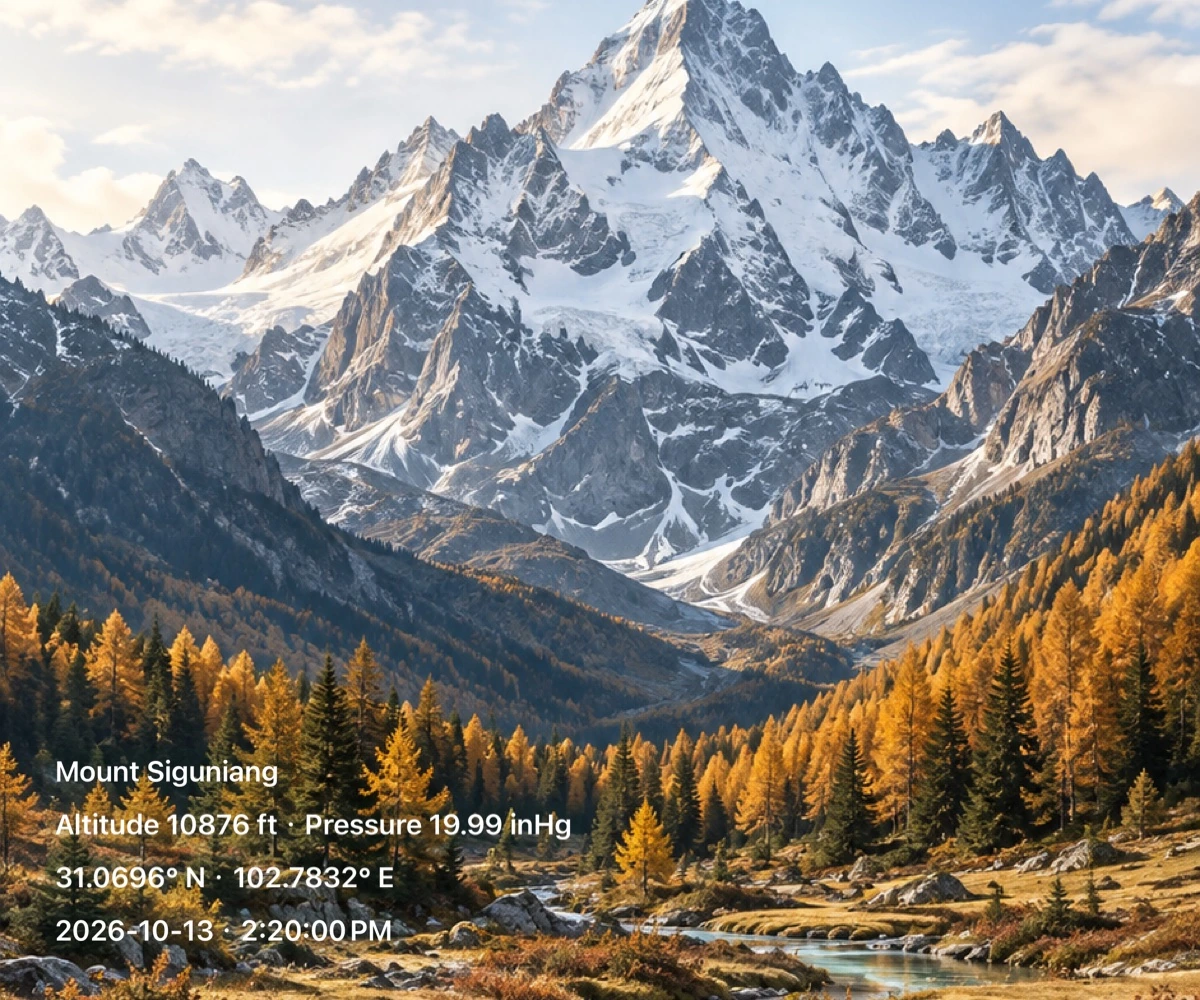
A Sensnap watermark photo of Mount Siguniang showing place, altitude, pressure, coordinates and time.
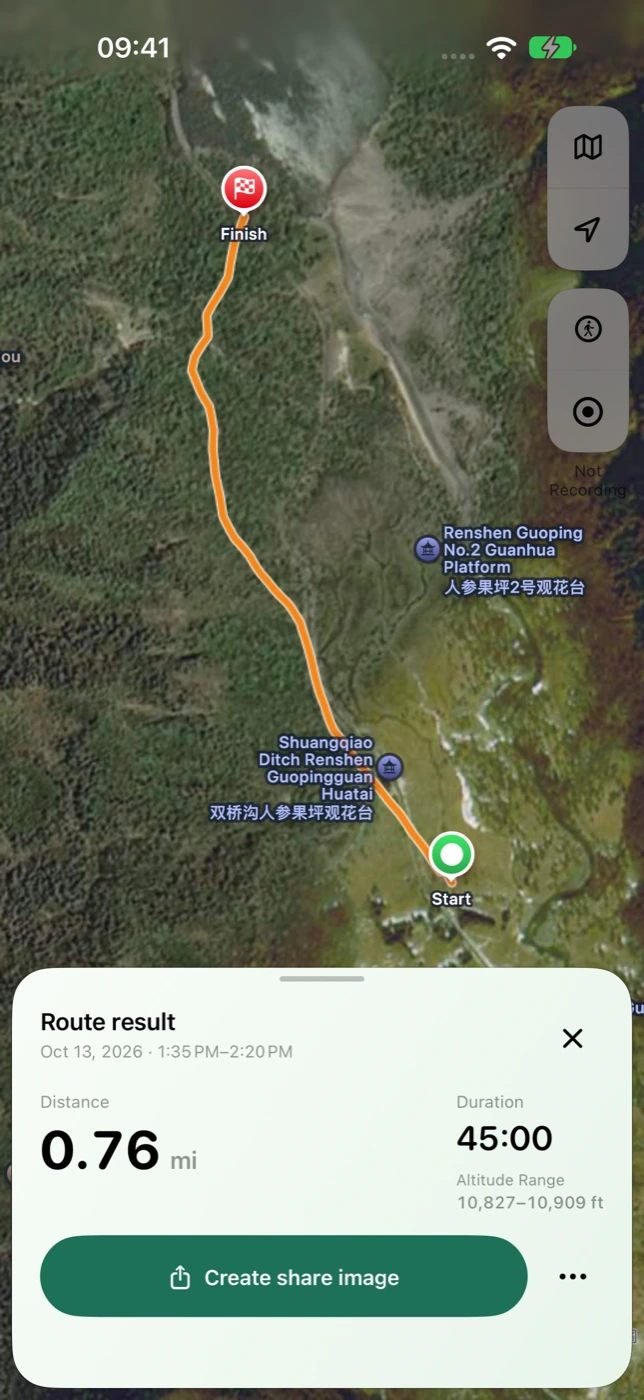
The actual Sensnap trip result showing an orange route, distance, duration and map image sharing.

A REALER PHOTO. A DEEPER MEMORY.

Put the momentin the picture.

Capture the view with altitude, pressure, coordinates and time. Give every photo a little more of the place you were in.

Explore photo watermarks

26 classic designs · 60 artistic watermarks · Reusable styles

A Sensnap watermark photo of Mount Siguniang showing place, altitude, pressure, coordinates and time.
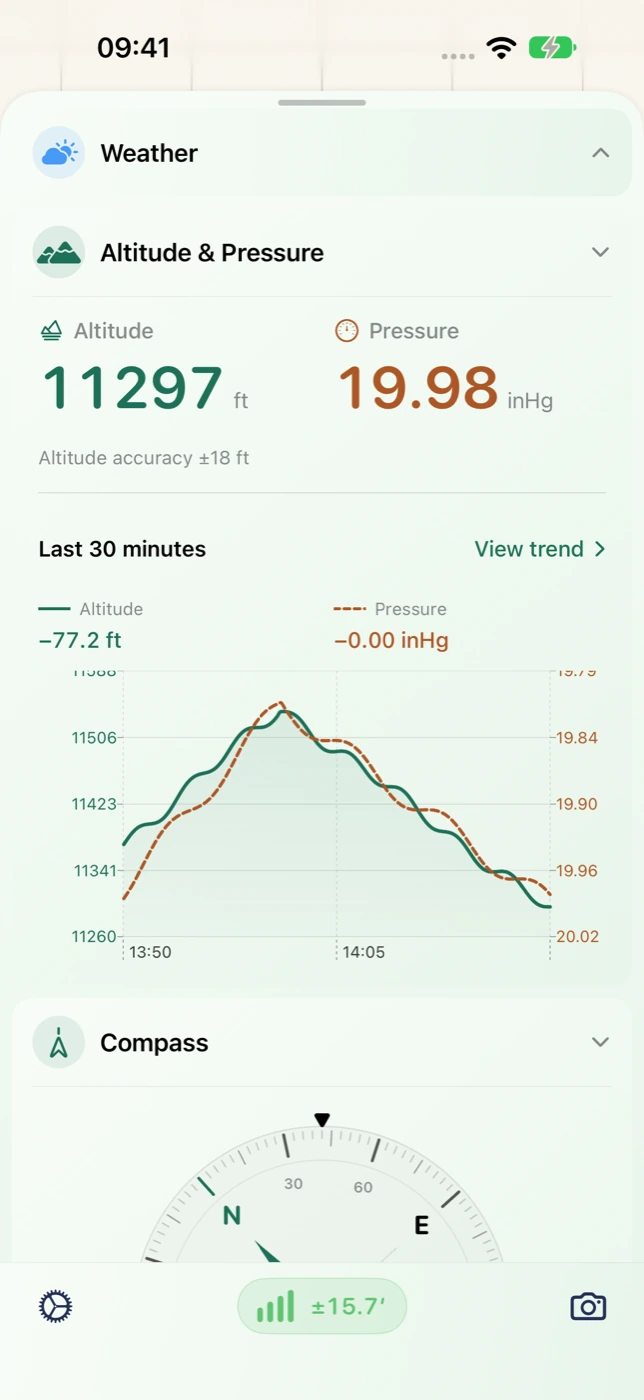
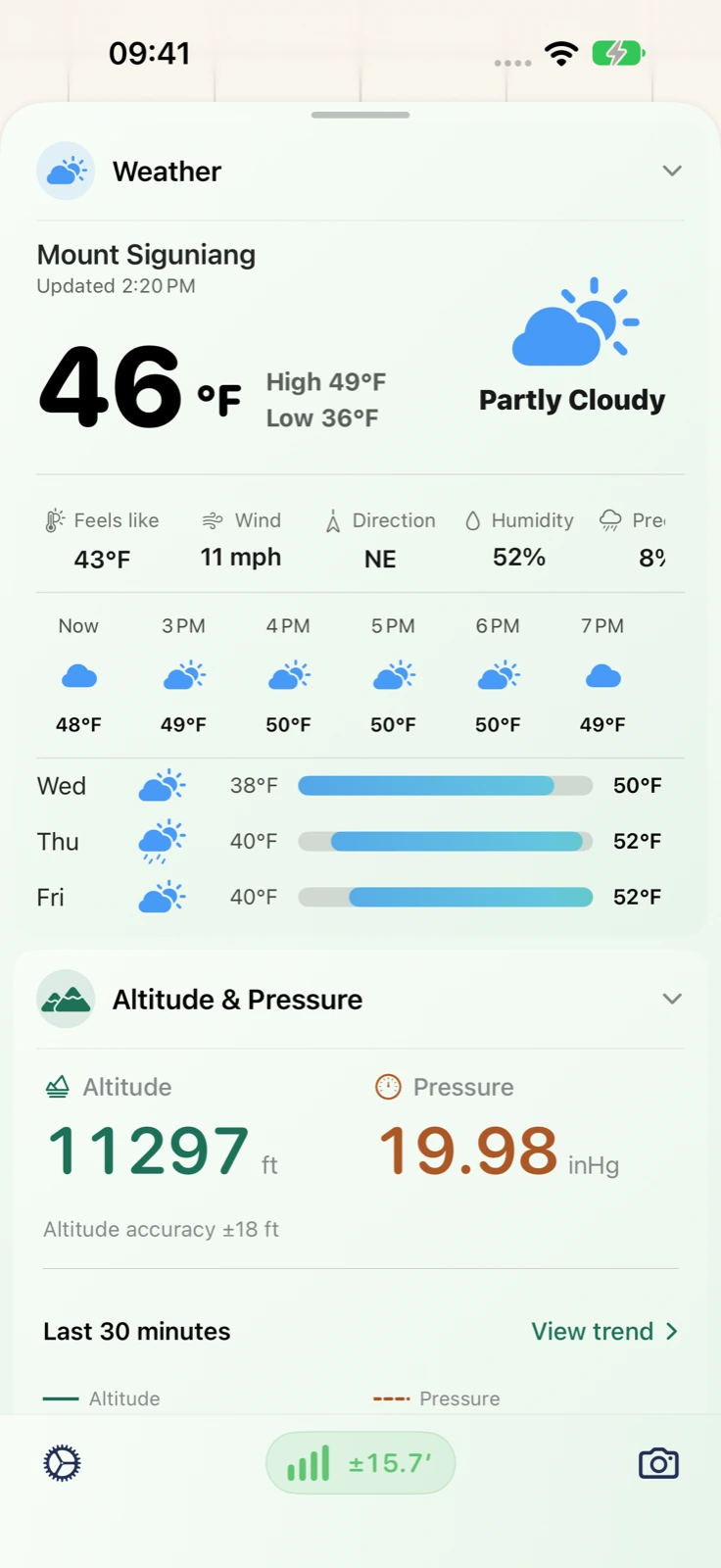
Sensnap altitude and pressure readings, trend chart and compass.

YOUR ROUTE LIVES ON

Keep the journey.Revisit the details.

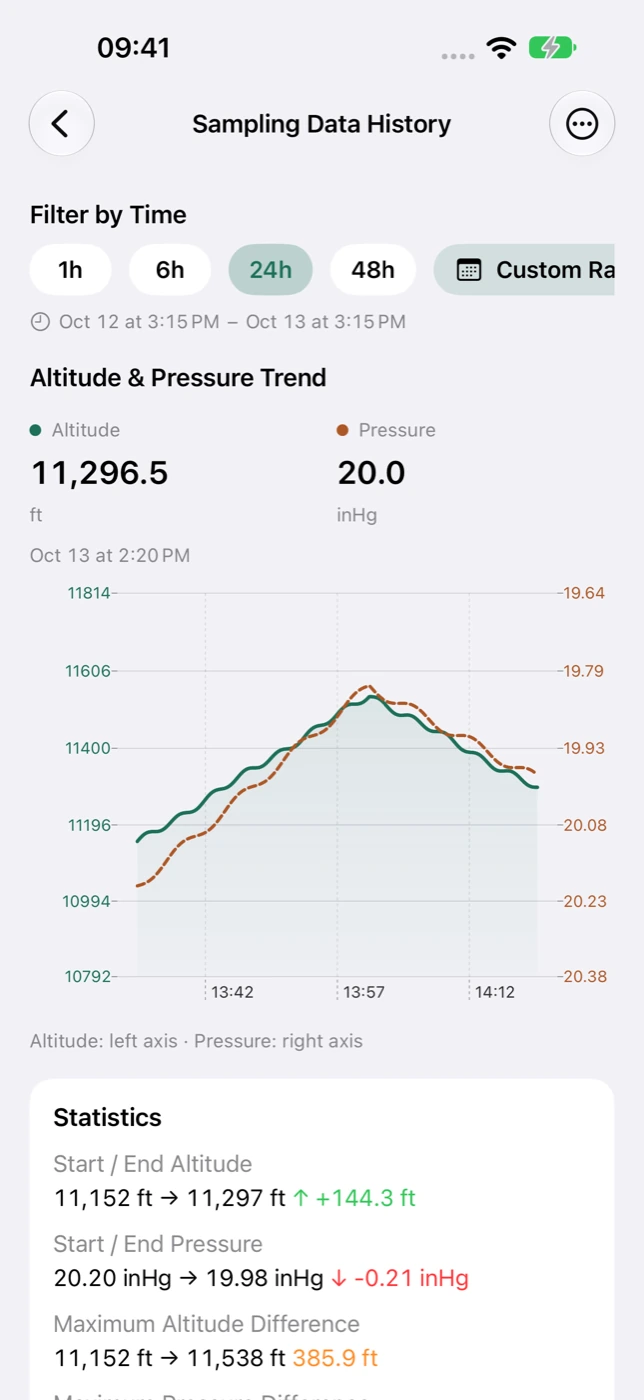
Record your route and look back at changes in altitude and pressure. Explore saved history and export CSV / GPX files to keep the journey close.

Explore routes and history
The actual Sensnap trip result showing an orange route, distance, duration and map image sharing.
Altitude and pressure history with recorded trends and sample statistics in Sensnap.
Sensnap on iPhone showing weather, altitude, and barometric pressure in English.
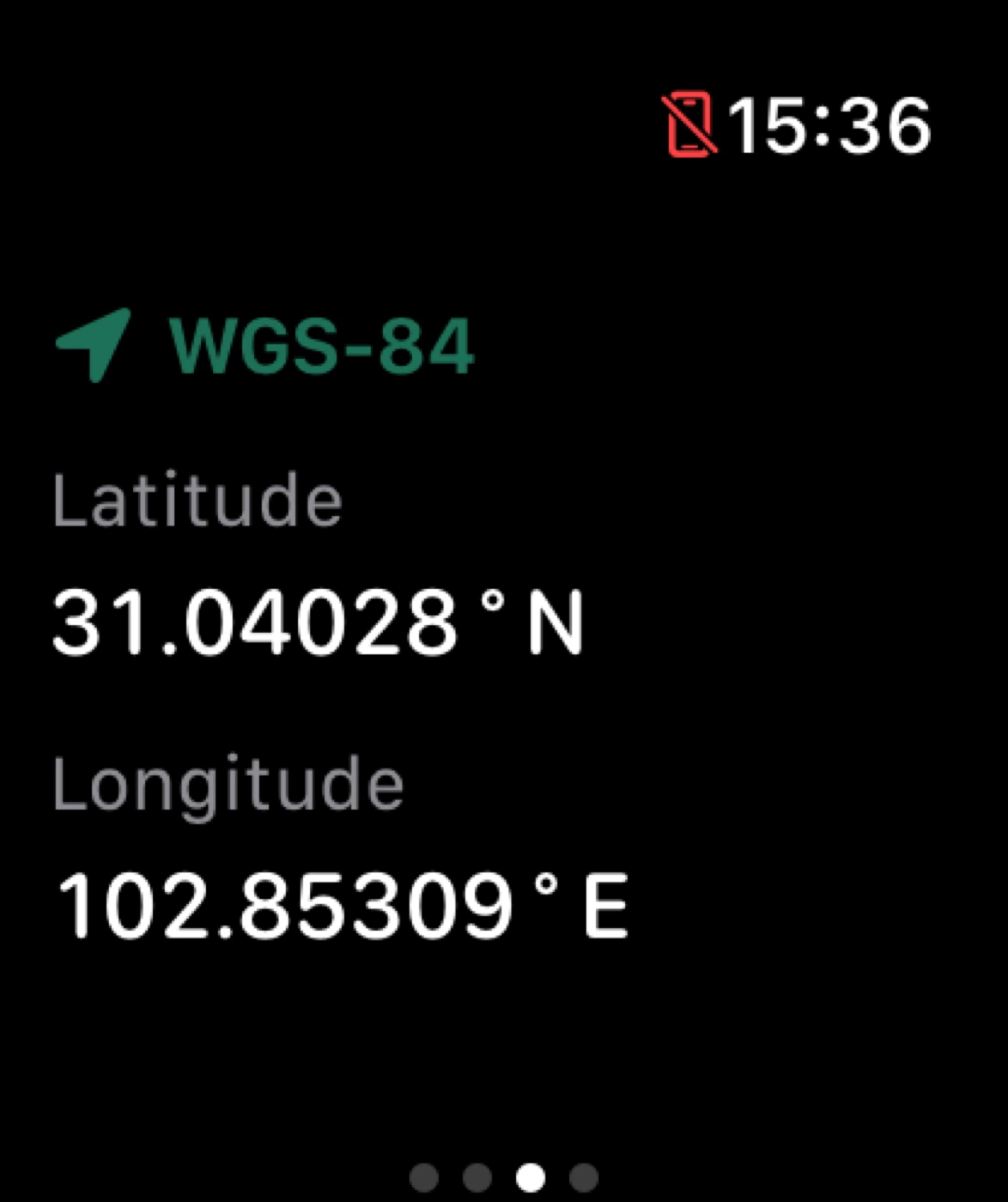
The Sensnap Apple Watch position screen with latitude and longitude readings.
Apple Watch · Position & coordinates

A LITTLE CLOSER TO YOUR SURROUNDINGS

Your surroundings.A glance away.

Altitude, pressure, weather, heading and location in one app. See more on iPhone, or take a quick look on Apple Watch and widgets.

Discover outdoor readingsExplore Watch and widgets

All features

The details, taken care of.

From a reading in the moment to a journey in your archive. Find the tools for your day.

Altitude & barometric pressure

View altitude, pressure and changes over time. Choose familiar units and read the available accuracy and observation context.

Explore the feature

GPS, compass & speed

See coordinates, address, heading and movement speed for useful position and direction context outdoors.

Explore the feature

Weather & outdoor conditions

Check temperature, feels-like temperature, wind, humidity and forecasts alongside the device’s environmental readings.

Explore the feature

Trip routes & map images

Record an iPhone trip, revisit the route and statistics, then create an editable map image of the completed journey.

Explore the feature

Photo watermarks & personal styles

Add current place, time and readings to a photo. Explore 26 classic and 60 artistic designs, plus reusable layouts.

Explore the feature

Sensor history & data export

Explore altitude, pressure and speed history, inspect saved samples, and export retained data as CSV, GPX or ZIP.

Explore the feature

Raw sensor details

Look closer at magnetic field, raw and user acceleration, gravity, gyroscope and pressure fields available on the device.

Explore the feature

Apple Watch & widgets

Check surroundings on your wrist, record Watch trips, and glance at snapshots on iPhone widgets and watch faces.

Explore the feature

TAKE IT OUTSIDE

Different days. Your own way outside.

A snowy alpine peak above golden larches and a clear mountain stream.

01

Hikes & highland travel

Know how high you are — and remember the path.

Check your starting readings, observe altitude and direction along the way, then revisit the recorded route and changes after the outing.

Altitude & pressure → iPhone trip → history

See how it works

A Sensnap watermark photo of Mount Siguniang showing place, altitude, pressure, coordinates and time.

02

Travel photos & city walks

Keep the place and the moment in your own style.

Take a photo or choose one image, add current place, altitude and time, then adjust the layout before saving or sharing.

Current place & time → watermark → personal style

See how it works
The actual Sensnap trip result showing an orange route, distance, duration and map image sharing.

03

Walks, rides & trip memories

Revisit where you actually went.

Record a route from start to finish, review its available statistics, and keep either a visual memory or a structured file.

GPS & speed → trip review → map image / GPX

See how it works
An alpine lake and forest on a mountain outing.

04

Campsites & everyday observation

Reach for your phone less. Notice a little more.

Glance at timestamped readings on your wrist or Home Screen, then review saved environmental trends on iPhone.

Watch readings → widgets → pressure history

See how it works

FAQ

A few more things to know about Sensnap

Practical answers to help you choose the right tools for your next outing.

Who is Sensnap for?

People who want to keep outdoor readings, travel routes or the context of a photo. Hikers can focus on altitude and trips; travel photographers can use place and time watermarks; everyday users can glance at Watch and widget snapshots.

What information can I view?

Depending on device hardware, permissions and connectivity, Sensnap can show altitude, pressure, heading, speed, coordinates, address and weather. Availability varies with those conditions.

How can I share a recorded trip?

Revisit a completed route, then edit, save or share a map image through the map screenshot and watermark flow. Use CSV, GPX or ZIP export when you need data files.

Do watermarks use the original photo metadata?

Ordinary camera and library-photo watermarks use current App time, place and readings. Library images are backgrounds; original EXIF date, GPS and altitude are not automatically extracted. Completed-trip map images use that trip’s historical information.

What can work without an internet connection?

Some location and sensor observations and existing local records can remain available when hardware and permissions allow. Weather, address lookup and map tiles may require the internet. Offline map downloads are not provided.

Can Apple Watch record a trip independently?

After setup and entitlement synchronization from the paired iPhone, Watch can start, pause, resume and end a trip. Recorded data can transfer when connectivity returns; final trip export waits for complete synchronization.

Do I need to register an account?

No account registration is required to use Sensnap. Manage local history in the App and use system save and sharing options for exported files.

Are widget readings always live?

Widgets show shared observation snapshots and refresh according to system scheduling. Check the observation time rather than assuming continuous live measurements.

MAKE YOUR NEXT OUTING A KEEPER

Your next outing. A little more remembered.

Notice your surroundings. Keep the route. Make the moment yours.